
NOISE can retrieve data available to your Google account. It cannot submit, remove or change Search Console resources.
 NAVINESNOISE
Read-only website intelligence for Chrome
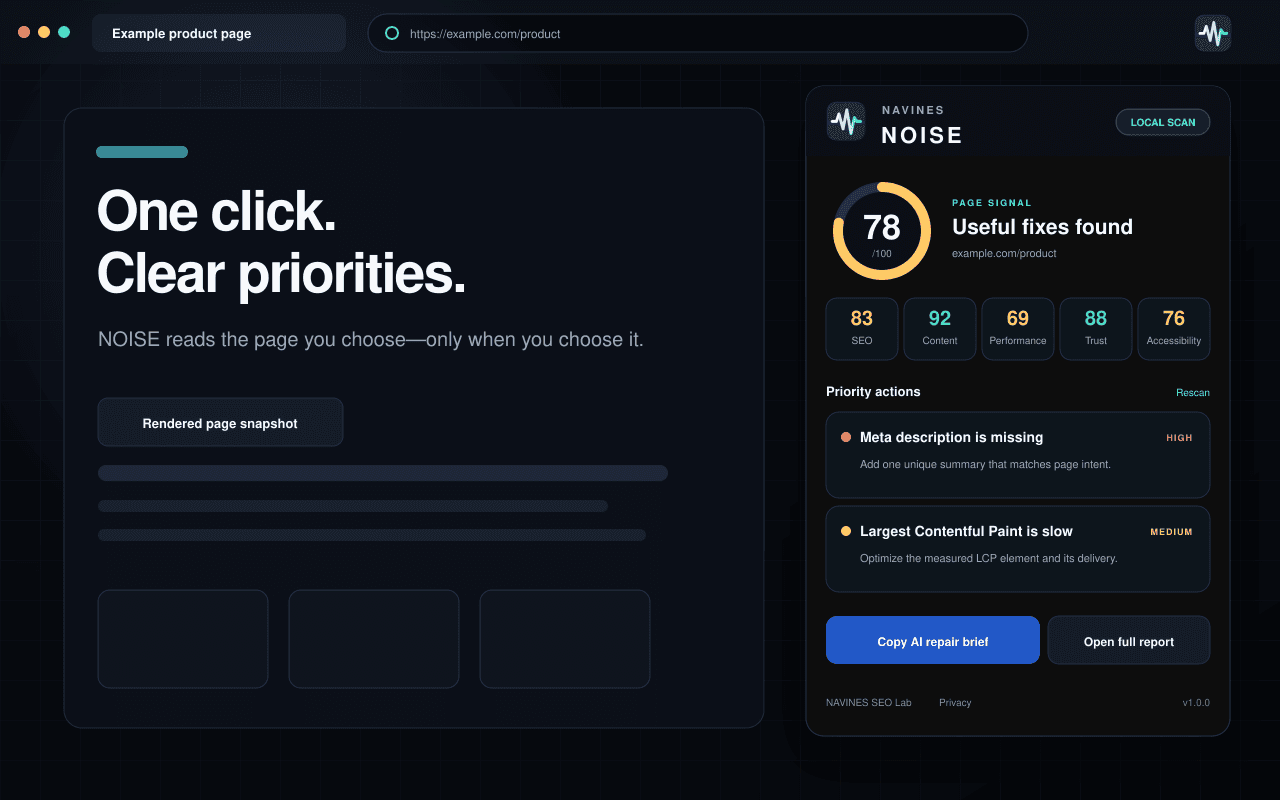
Turn the current page into prioritized SEO, performance, trust and accessibility actions.
Open a webpage, run NOISE and select Analyze this page. You receive a structured local report that shows what deserves attention first—and the evidence behind it.
Version 1.0.0 · No account · Local processing · User-initiated scans
New Google Search Console · MCP
Bring your Search Console evidence into ChatGPT and Codex.
Connect the verified properties you already control, then ask NOISE for read-only search performance, URL inspection, sitemap, comparison and opportunity analysis. The MCP exposes no Google write tools.
Separate data path: this hosted MCP service is distinct from the local Chrome extension shown above. The extension analyzes one selected page in Chrome; the MCP reads your authorized Search Console data from Google only when you invoke a tool.
Queries, pages, clicks, impressions, property lists and full Google responses are returned for the current request and are not persisted in Neon.
The refresh token is encrypted with AES-256-GCM. Disconnect from the dashboard to delete the stored Google connection and token.
A deliberate three-step workflow
One page. One action. A clearer next move.
- 01
Open the page
Choose the normal HTTP or HTTPS page you want to inspect.
- 02
Run NOISE
Open the extension and select Analyze this page. Access is temporary and limited to that active tab.
- 03
Fix what matters first
Review evidence, context and the exact next action before changing production.
See how a NOISE finding connects to focused SEO Lab tools and measurable verification.
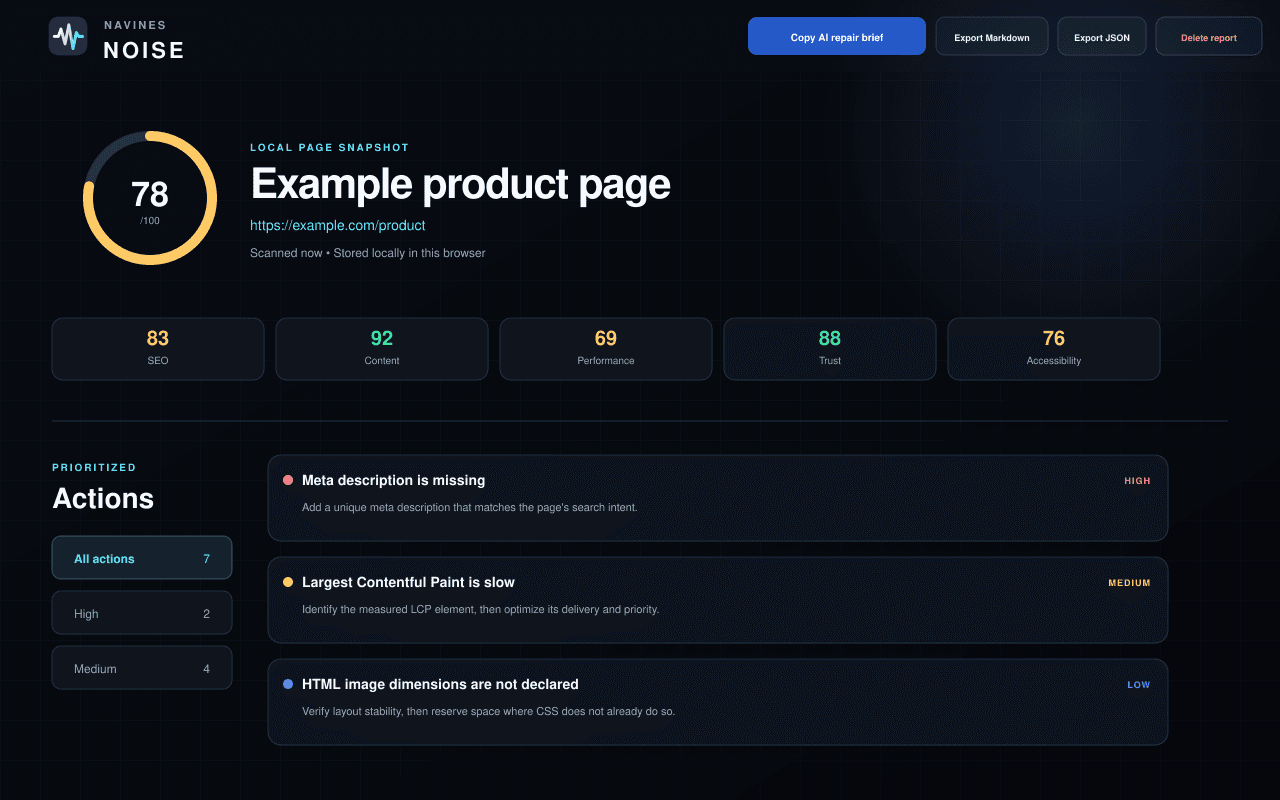
Page Signal
A directional score, not a ranking promise.
Page Signal summarizes the current snapshot on a 0–100 internal scale. It helps order investigation; it does not predict Google rankings or certify a page.
SEO
A focused heuristic derived from observable signals in this browser snapshot.
Content
A focused heuristic derived from observable signals in this browser snapshot.
Performance
A focused heuristic derived from observable signals in this browser snapshot.
Trust
A focused heuristic derived from observable signals in this browser snapshot.
Accessibility
A focused heuristic derived from observable signals in this browser snapshot.
PAGE SIGNAL0–100Directional heuristic
Prioritized findings
Severity gives the review an order.
NOISE groups observations as Critical, High, Medium or Low. A severity label is a starting point for human review—not permission to make a silent change.
Immediate risk or a fundamental blocker.
Material issue worth early investigation.
Meaningful improvement with context required.
Smaller refinement or verification task.
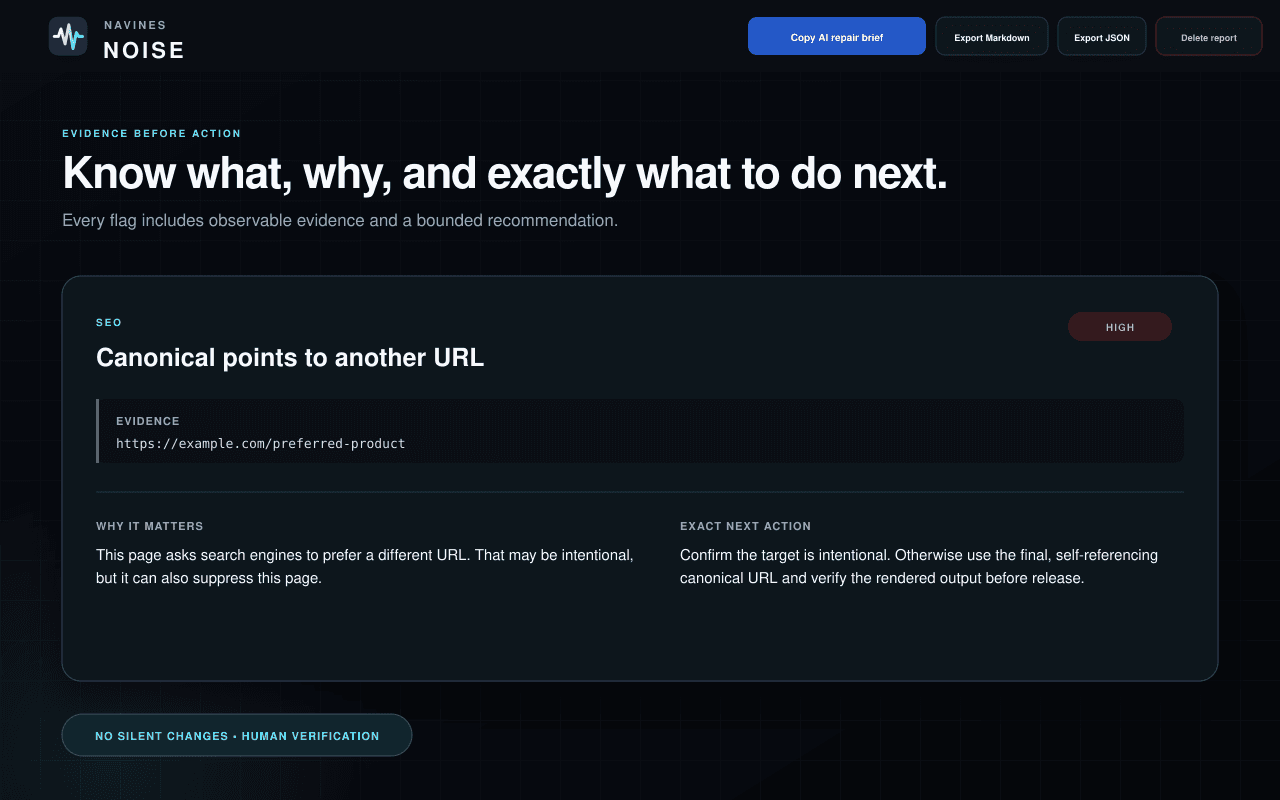
Evidence before action
Know what, why and exactly what to do next.
Every finding is designed to keep the observation separate from interpretation and implementation.
Evidence
The observable value or page condition that triggered the rule.
Context
Why the signal may matter—and where intent still needs confirmation.
Exact next action
A bounded change to review, plus a way to verify the result.
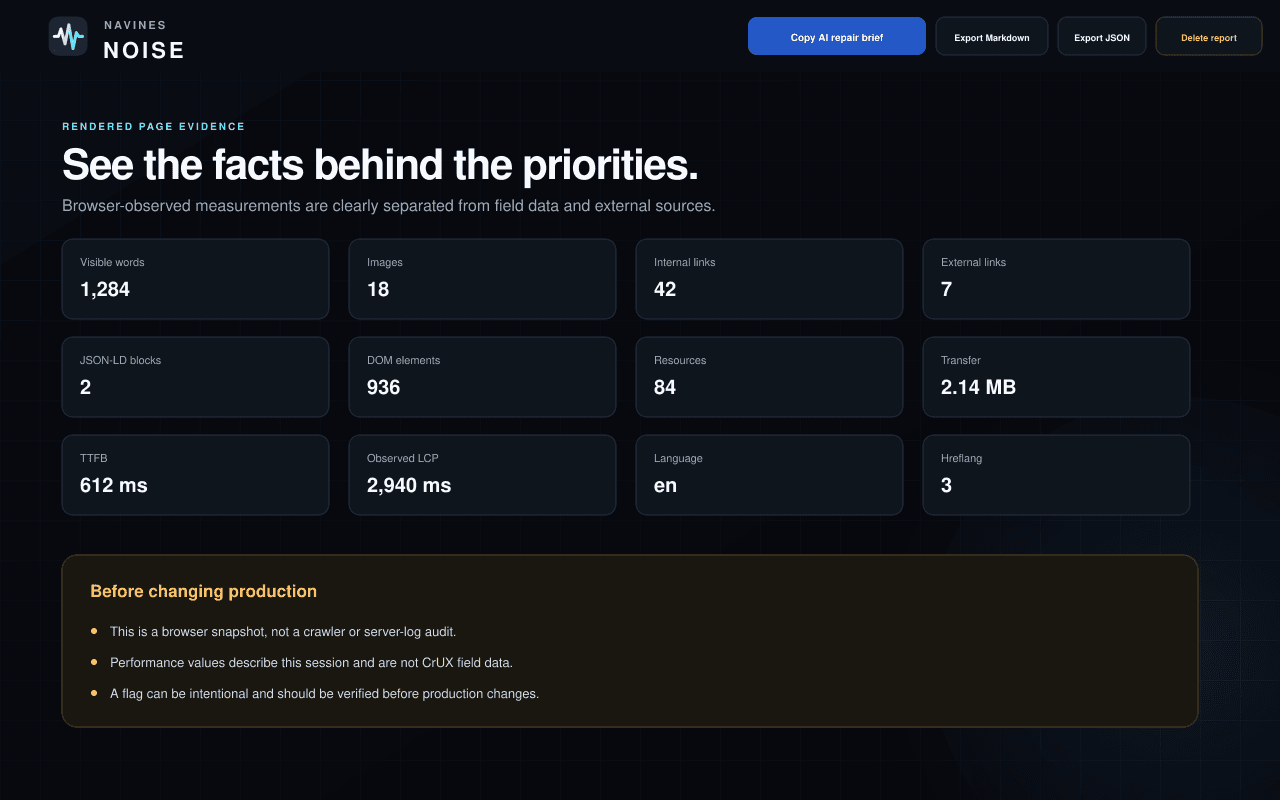
Rendered page evidence
The facts behind the priorities.
The report can include the values available in the selected browser session.
- Visible word count
- Images, links and resources
- Transfer size
- DOM size
- TTFB
- Observed LCP when available
- Document language and hreflang count
- JSON-LD and form counts
From evidence to implementation
Create a bounded AI repair brief—or export the full report.
Copy AI repair brief creates a structured prompt from the saved report. You choose whether to paste it into ChatGPT, Claude, Gemini, Codex or another destination. NOISE does not contact an AI provider.
AI repair brief
Copied to the clipboard only after your explicit action, with webpage-derived data clearly marked as untrusted evidence.
Markdown
A readable local report for a ticket, review or developer handoff.
JSON
A structured local export for your own workflow or tooling.
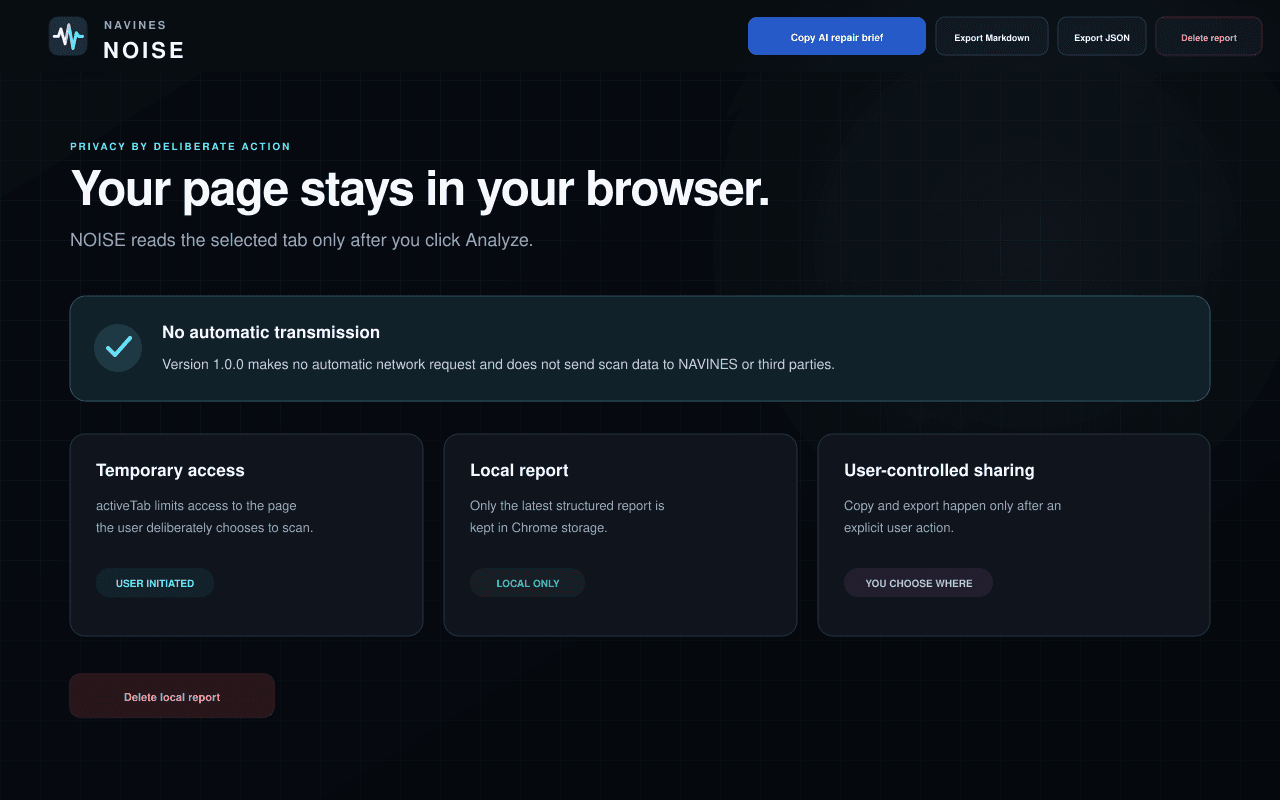
Chrome extension · Local processing
Your selected page stays in your browser.
- NOISE runs only after you select Analyze this page.
- It receives temporary access only to the active HTTP or HTTPS page.
- Processing happens locally, with no automatic scan-data transmission.
- Only the latest structured report is stored in Chrome local storage.
- The saved URL excludes query parameters, fragments and embedded credentials.
- You can delete the saved report from the full-report screen.
The optional Search Console MCP uses a separate, explicitly authorized server connection. Read how both products handle data.
Chrome extension scope
A browser snapshot—not a full-site or compliance audit.
What the extension does not see
No Search Console, analytics, backlinks, server logs, server configuration or CrUX field data. It does not crawl the rest of the site.
What the scores mean
Transparent internal heuristics for prioritization. They are not Google ranking scores, security approvals or accessibility certifications.
What still needs a person
A flag can be intentional or incomplete. Confirm the page’s purpose, the underlying evidence and the production impact before acting.
Frequently asked questions
Clear boundaries before you install.
Need help with a scan or local report? Visit NOISE Support.
Does NOISE scan every site I visit?
No. NOISE receives temporary access only after you open the extension and select Analyze this page on the active HTTP or HTTPS tab.
Does a scan leave my browser?
No automatic scan-data transmission occurs in version 1.0.0. Processing happens locally in Chrome, and only the latest structured report is stored in Chrome local storage.
Is Page Signal a Google ranking score?
No. Page Signal and the five category scores are transparent internal heuristics for prioritization. They are not Google scores, ranking predictions or certifications.
Can NOISE audit an entire website?
No. The Chrome extension creates a browser snapshot of one selected page. It is not a crawler and has no Search Console, analytics, backlink, server-log, server-configuration or CrUX field data. The separate NOISE MCP can read authorized Search Console data, but it does not crawl or change a website.
What does the AI repair brief do?
It creates a bounded text brief from the saved report and copies it only after you choose that action. NOISE does not contact or select an AI provider.
Can I delete the saved report?
Yes. Open the full report, select Delete local report and confirm. A later scan replaces the previous report, and uninstalling the extension also removes its local extension storage subject to Chrome behavior.
NAVINESNOISEFind the signal inside the noise.
Analyze the page you choose—only when you choose it.